
About SmallStack

A Django platform to build applications on. The admin shell, auth, CRUD pages, REST, MCP, search, webhooks, feeds, a scheduler, approvals, notifications and publishing are already built and themed, so your project starts at the business logic. Production-ready with SQLite or Postgres, Docker, and zero-downtime Kamal deployment.

What's included

Open fullscreen →

Philosophy

A platform to build apps on, not a starter to grow out of.

  • Use what Django gives you — before adding a package, check if Django already has it
  • One declaration, every surface — a model + CRUDView becomes HTML, REST, MCP, search, webhooks and CLI
  • The built-in apps use public seams — your app registers through the same hooks they do
  • Production-ready defaults — secure settings, typed code, SQLite or Postgres, Docker + Kamal
# apps/tickets/views.py
class TicketCRUDView(CRUDView):
    model = Ticket
    list_columns = ["id", "title", "status"]

    enable_api      = True  # REST + OpenAPI
    enable_mcp      = True  # Claude tools
    enable_search   = True  # full-text search
    enable_webhooks = True  # signed events

Tech stack

Component Choice
Framework Django 6
Frontend Themed admin shell, htmx interactions, six palettes × light/dark
Database SQLite for dev and production; Postgres supported, same test suite on both
Search SQLite FTS5 or Postgres tsvector + GIN, ranked
Tasks Django Tasks + django-tasks-db worker with a @scheduled recurring scheduler — no Redis or Celery
Typing mypy + django-stubs over every app, gated in make lint
Package manager UV
Deployment Docker Compose or Kamal with Let's Encrypt. Your choice.

One model, every surface

Declare a CRUDView once and flip the flags. The same form, queryset and permission logic is emitted on every surface.

  • HTML — themed list / detail / create / update / delete pages
  • REST — Bearer auth, OpenAPI 3.0, Swagger UI, ReDoc, typed clients
  • MCP — list_tickets, get_ticket, create_ticket… under OAuth + PKCE
  • Search — ranked full-text with a Ctrl-K omnibar and an MCP retrieval tool
  • Webhooks — signed created / updated / deleted events with retries and replay
  • CLI — sc ls / get / new / set / rm, same validation and audit as REST
$ sc ls tickets.Ticket --json
$ curl -H "Authorization: Bearer $TOKEN" \
    /api/tickets/?status=open
$ # Claude Desktop → tools/list
list_tickets  get_ticket  create_ticket
update_ticket delete_ticket search_tickets

Theming

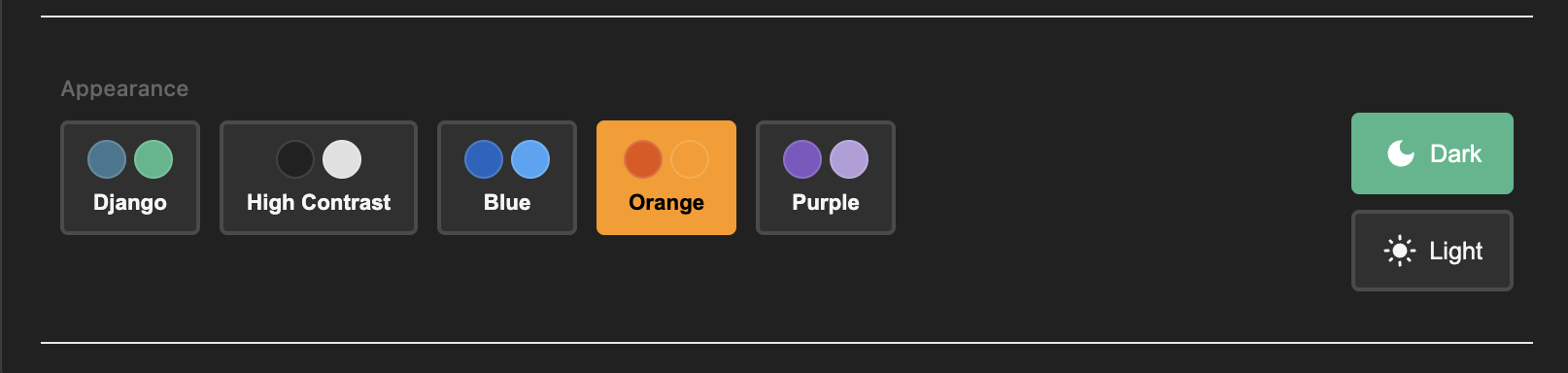
Light and dark modes with selectable color palettes.

  • Dark mode toggle — user preference saved in localStorage
  • 6 built-in palettes — Purple (default), Django, Blue, Orange, Gold, High-contrast
  • CSS custom properties for colors, spacing, shadows — never a hard-coded hex, so every page works on all 12 combinations
  • Built on Django admin's responsive CSS foundation
Theming

Authentication

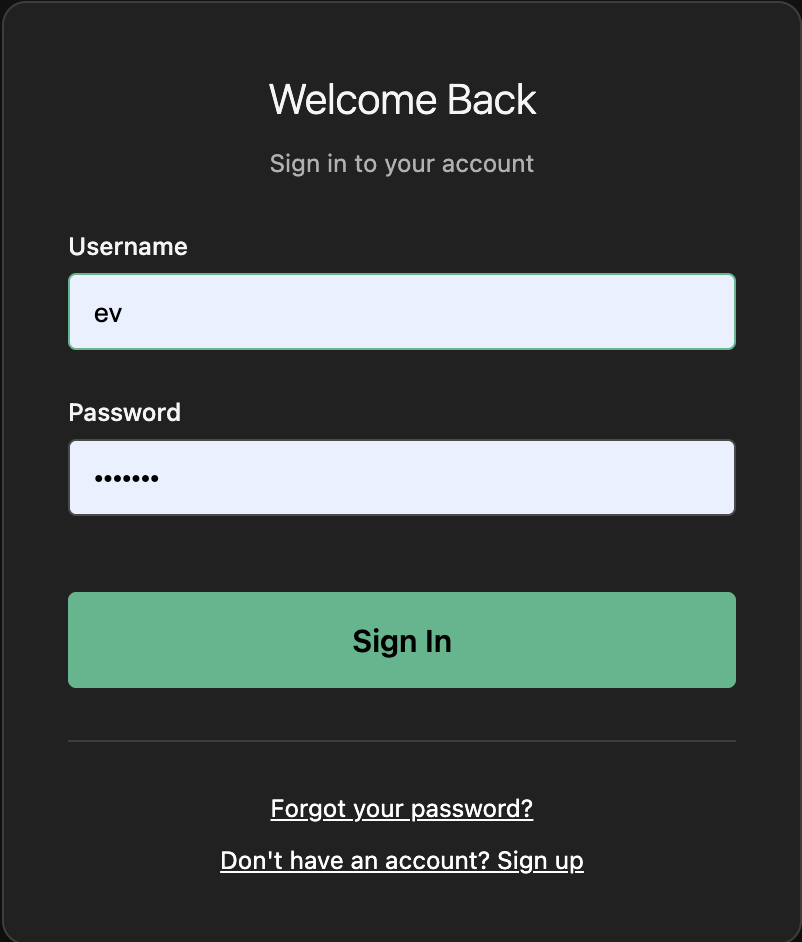
Built on Django's battle-tested contrib.auth — no third-party packages.

  • Custom User model ready for email login
  • Signup control — enable/disable registration with a setting
  • Password reset via Django's built-in views and email
  • Feature flags to toggle app sections on and off
Login Page

Profile App

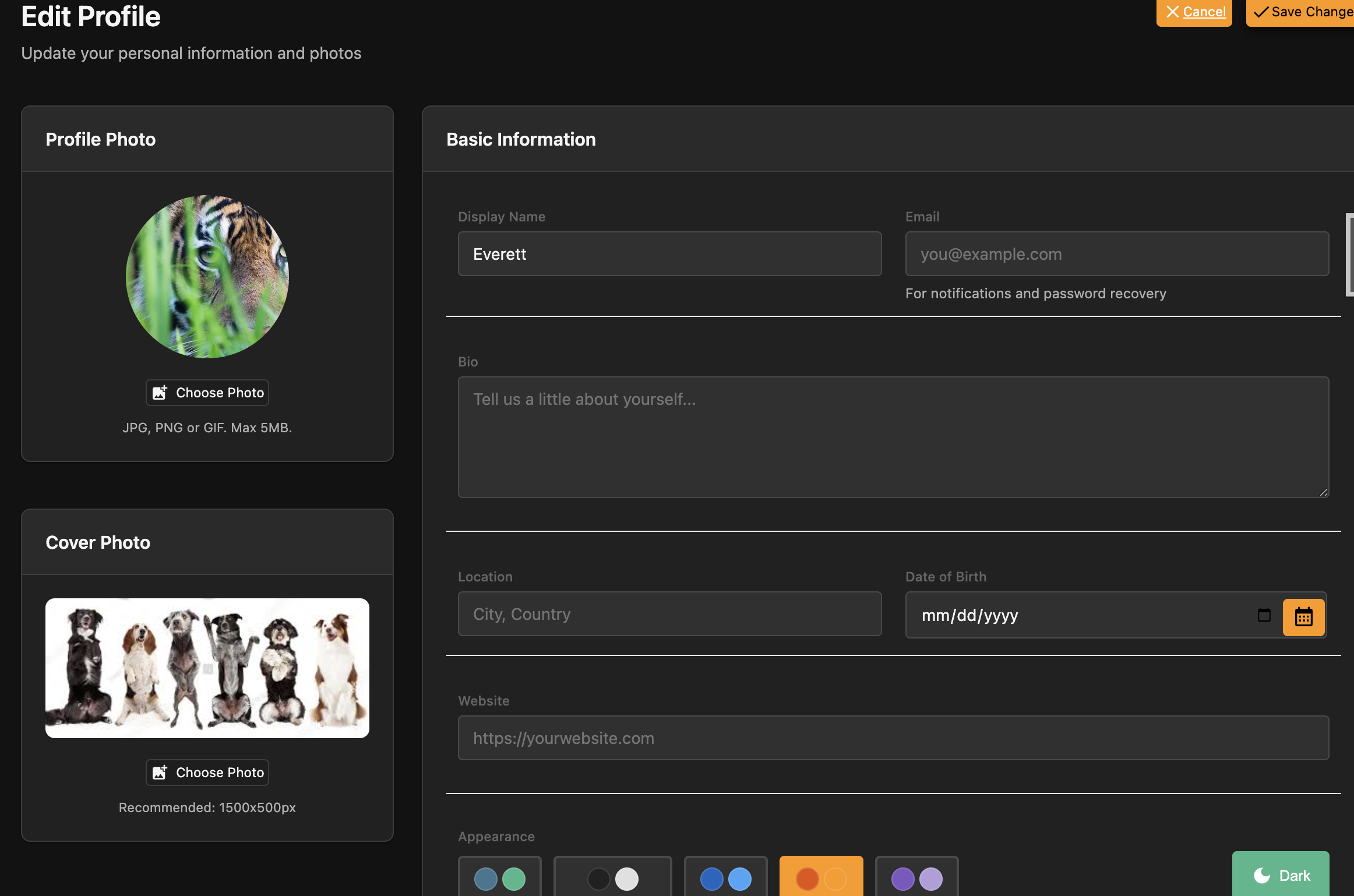
Complete user profile management, auto-created on signup.

  • Photo & cover image uploads with Pillow
  • Bio, location, website and display name
  • Color palette preference saved per user
  • Extend with your own fields — standard Django model
Profile Page

Search

Real ranked search, one index, three access tiers.

  • FTS5 on SQLite, tsvector + GIN on Postgres — BM25-style ranking, no external service
  • One flag per model — enable_search = True, with search_visibility for tenancy
  • Ctrl-K omnibar + /search/ page — results respect each viewer's staff / signed-in / anonymous tier
  • search_all MCP tool — the same index for AI agents and RAG over your help docs
  • SearchBuilder — custom variants when the default ranking isn't the one you want
class TicketCRUDView(CRUDView):
    model = Ticket
    search_fields = ["subject", "body"]
    enable_search = True
    search_access = SearchAccess.AUTHENTICATED

    @staticmethod
    def search_visibility(user, qs):
        return qs.filter(team__members=user)

Background tasks & scheduler

Django 6's Tasks framework with a database backend, plus a recurring scheduler.

  • No Redis or Celery — django-tasks-db; the worker is manage.py db_worker
  • @scheduled — cron, interval or once, with a themed /smallstack/scheduler/ UI, REST + MCP controls and a per-minute tick
  • Lost-task reaper + heartbeat — stuck jobs are detected and the status page says so
  • Docker & Kamal run the worker automatically; only local dev needs to start it
from apps.scheduler import scheduled
from django.tasks import task

@scheduled(every="5m", name="Publish due posts")
@task()
def publish_scheduled_posts():
    return service.publish_due_posts()

# One-shot, from a view — returns instantly
send_welcome_email.enqueue(user_id=user.pk)

Webhooks

The seam between your systems — both directions, signed, replayable.

  • Outbound — enable_webhooks = True emits signed created / updated / deleted events with retries, Retry-After and dead-letter replay
  • Inbound — @webhook_handler receivers; provider signatures via @webhook_verifier, handshakes via @webhook_challenge
  • SmallStack ↔ SmallStack pairing — sc webhook pair, loop-safe, stable event_id dedupe
  • Collect external feeds — register_feed_source pulls an RSS/Atom source into a model on a schedule, for the systems that only speak RSS
@webhook_handler("stripe", verifier="stripe")
def on_stripe_event(event):
    if event.type == "invoice.paid":
        mark_paid(event.data["object"]["id"])

@webhook_transform(Ticket)
def ticket_payload(ticket, event):
    return {"id": ticket.pk, "status": ticket.status}

Approvals & notifications

Human-in-the-loop for your code — and for AI agents.

  • @approval_kind + request_approval() — any app or MCP agent files a request
  • Decision console at /smallstack/approvals/requests/, or the {% approval_card %} embed in your own page
  • React your way — per-kind callback, signal, webhook event, or polling
  • Notifications — notify() with a topbar bell, unread badge and inbox; approvals fan out to it and to branded email by default
@approval_kind("refund", label="Issue a refund")
def on_refund_decided(request, decision):
    if decision.approved:
        issue_refund(request.payload["order_id"])

request_approval(
    "refund",
    payload={"order_id": order.pk, "amount": 120},
    requested_by=agent_user,
)

Runbook, blog, newsletter & feeds

Publishing is a platform surface too.

  • Runbook — versioned markdown documents with a split editor, slide and step views, templates and search
  • Blogs — per-user channels with a private / members / public visibility ladder, a compact writing studio at /my/blogs/, and a system console under /smallstack/blog/
  • Publish a runbook page into a blog, optionally resyncing when the page changes
  • Newsletter — double opt-in subscribers, one-click unsubscribe, and a durable batched sender that resumes if the worker dies mid-send
  • Readers get /blog/, a sitemap and an anonymous JSON API
  • Feeds are a publishing surface — RSS/Atom/JSON per blog and site-wide, built as curated Feeds over scoped querysets; the same register_feed() serves a podcast or changelog, with enclosures via FeedItem(extra_kwargs=…)
post = service.publish_document(
    document, blog, sync="auto"
)
issue = service.create_issue_from_post(post)
service.queue_issue(issue)   # Delivery rows are the ledger

Activity Tracking

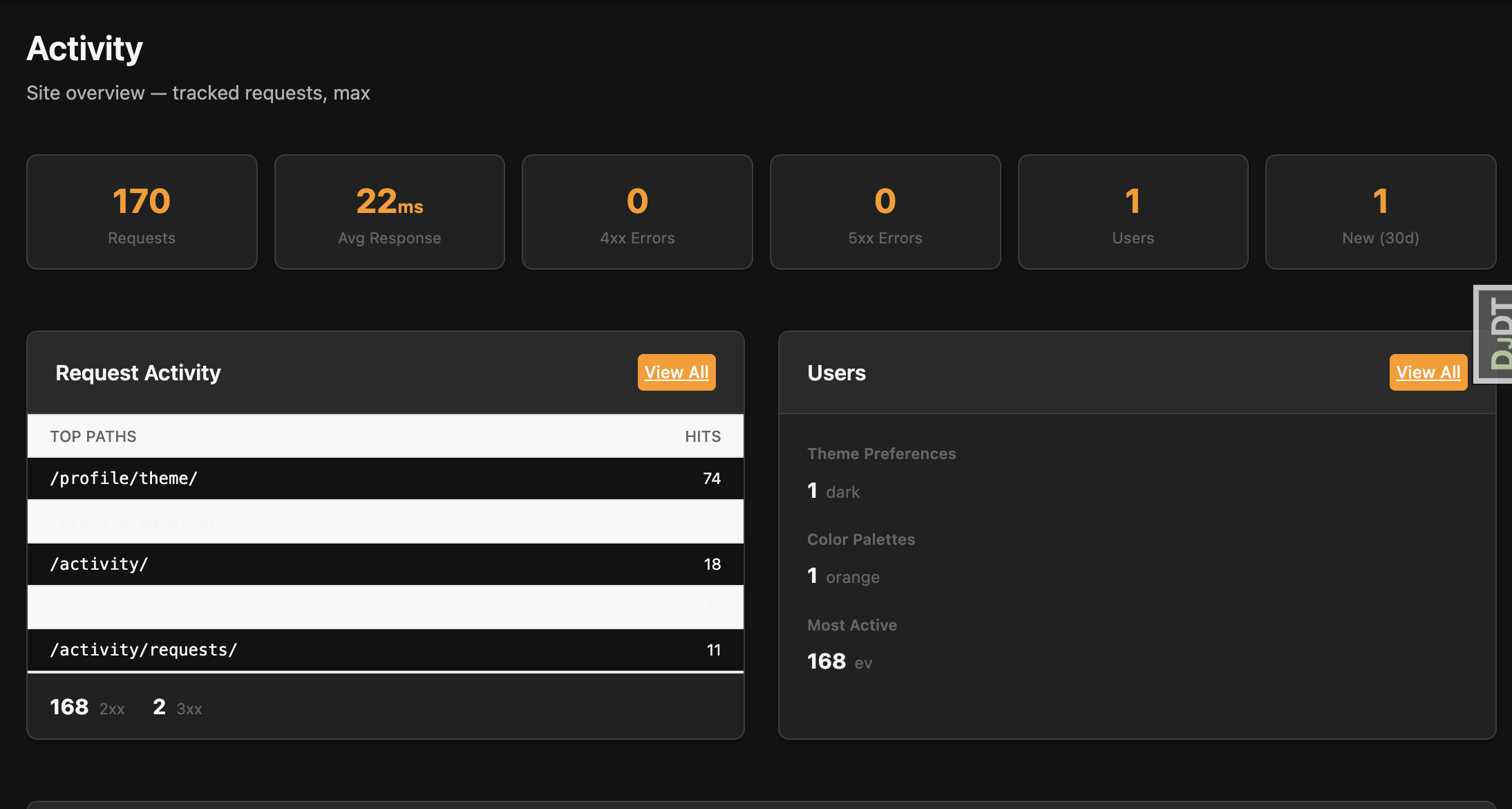
Zero-config request logging with a staff dashboard.

  • Middleware-based — captures every request automatically
  • Staff dashboard with stat cards and filterable log table
  • Live refresh via htmx polling — no WebSockets
  • Auto-pruning — configurable retention, background task cleanup
Activity Dashboard

Help System

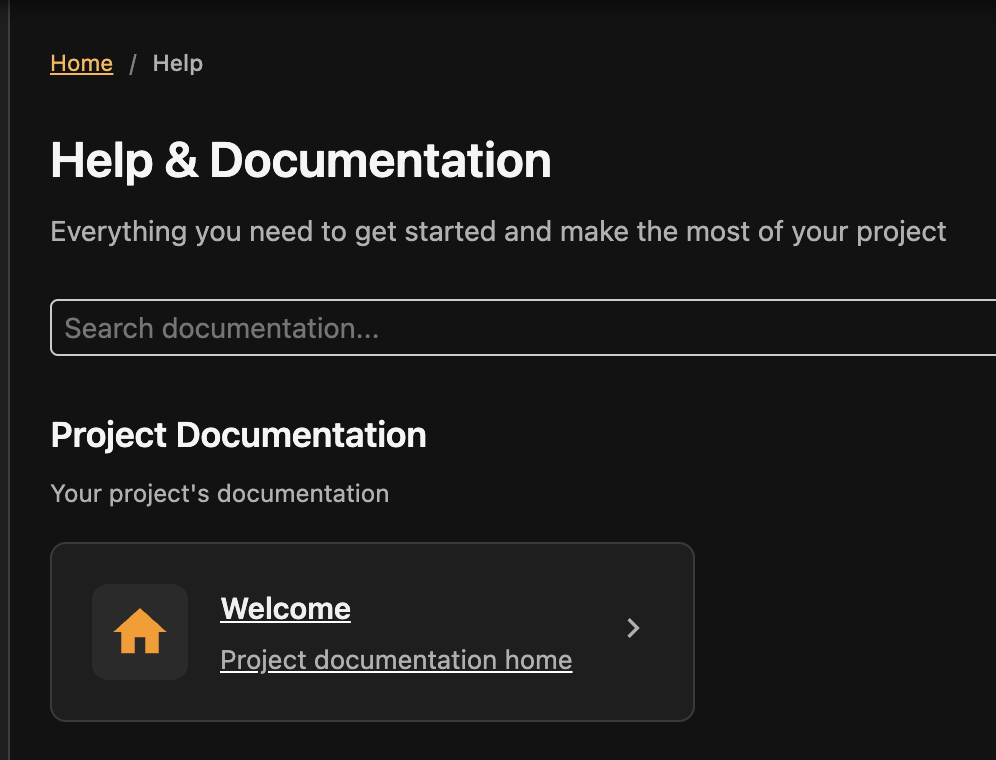
File-based documentation viewer — the system you're looking at right now.

  • YAML-driven navigation with sections, icons, and ordering
  • Markdown rendering with code blocks, tables, and TOC
  • Full-text search with client-side indexing
  • Slide viewer for focused presentations and walkthroughs
Help System

Docker & Deployment

Production-ready containers with zero-downtime deployment.

  • Docker Compose with web, worker, and health checks
  • Kamal — deploy to any VPS with kamal deploy
  • Automatic HTTPS — Kamal provisions TLS via Let's Encrypt
  • Typical deploy under 60 seconds including build, push, and health check
$ kamal deploy

Building image...
Pushing to registry...
Starting container...
Container is healthy!
Releasing the deploy lock...
  Finished all in 38.4 seconds