
Datasets and calendars, already wired for your apps.
Every SmallStack module that creates data ships a typed, filterable dataset over it, and the ones with a date on them ship a calendar. Your own models join with one declaration — and get the same browser, the same REST and MCP surface, and the same month grid.
A dataset is a queryset with a schema.
Declare a function that returns a queryset. The framework works out the columns, their types, which are dimensions and which are measures, and the filter widgets — so a dashboard builder, an export screen or an AI agent can work against any dataset without knowing the model behind it.
Declare it
One @dataset over a queryset. Column lists, types and filter widgets are derived; computed columns and ratio measures are declared.
Browse it
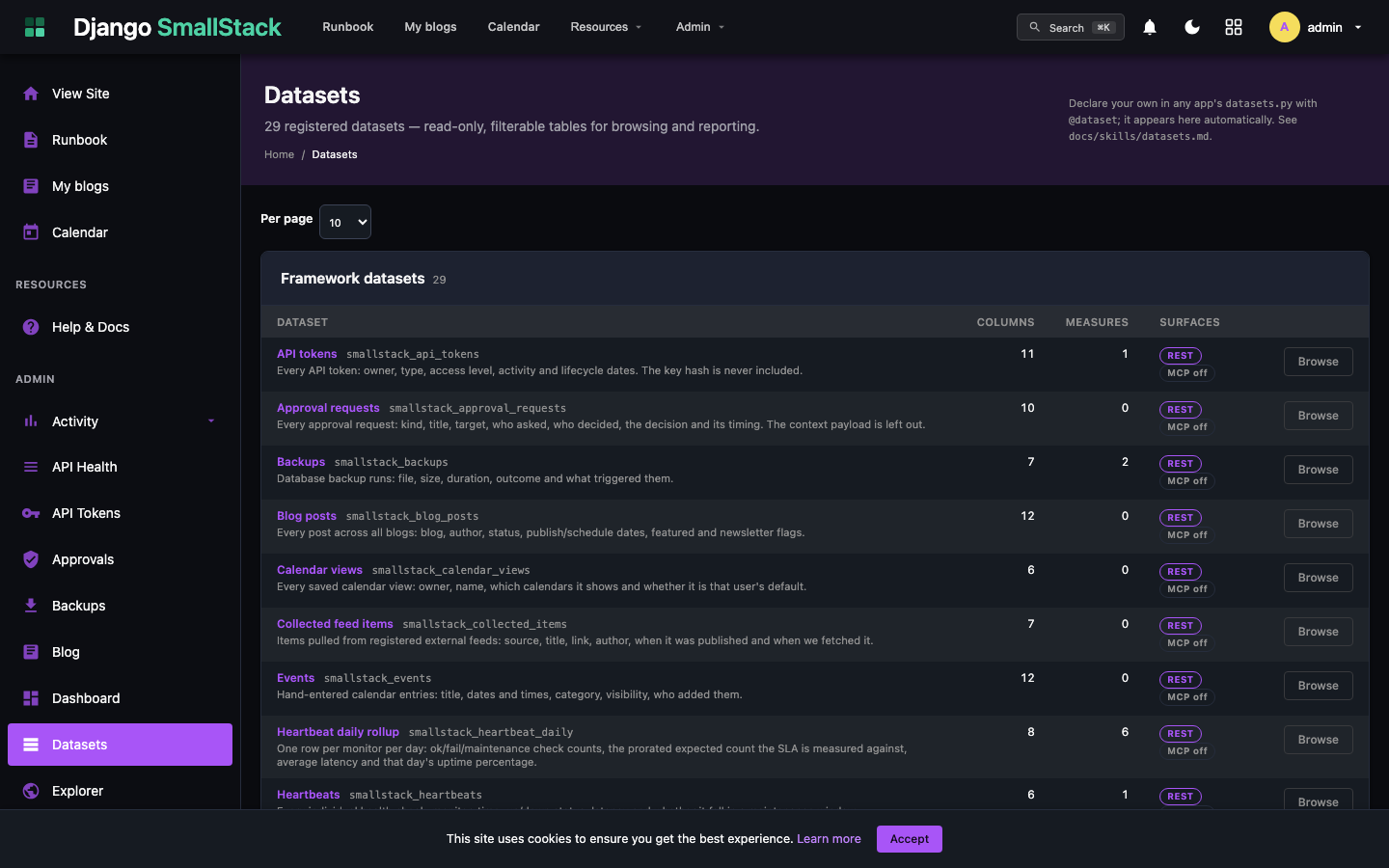
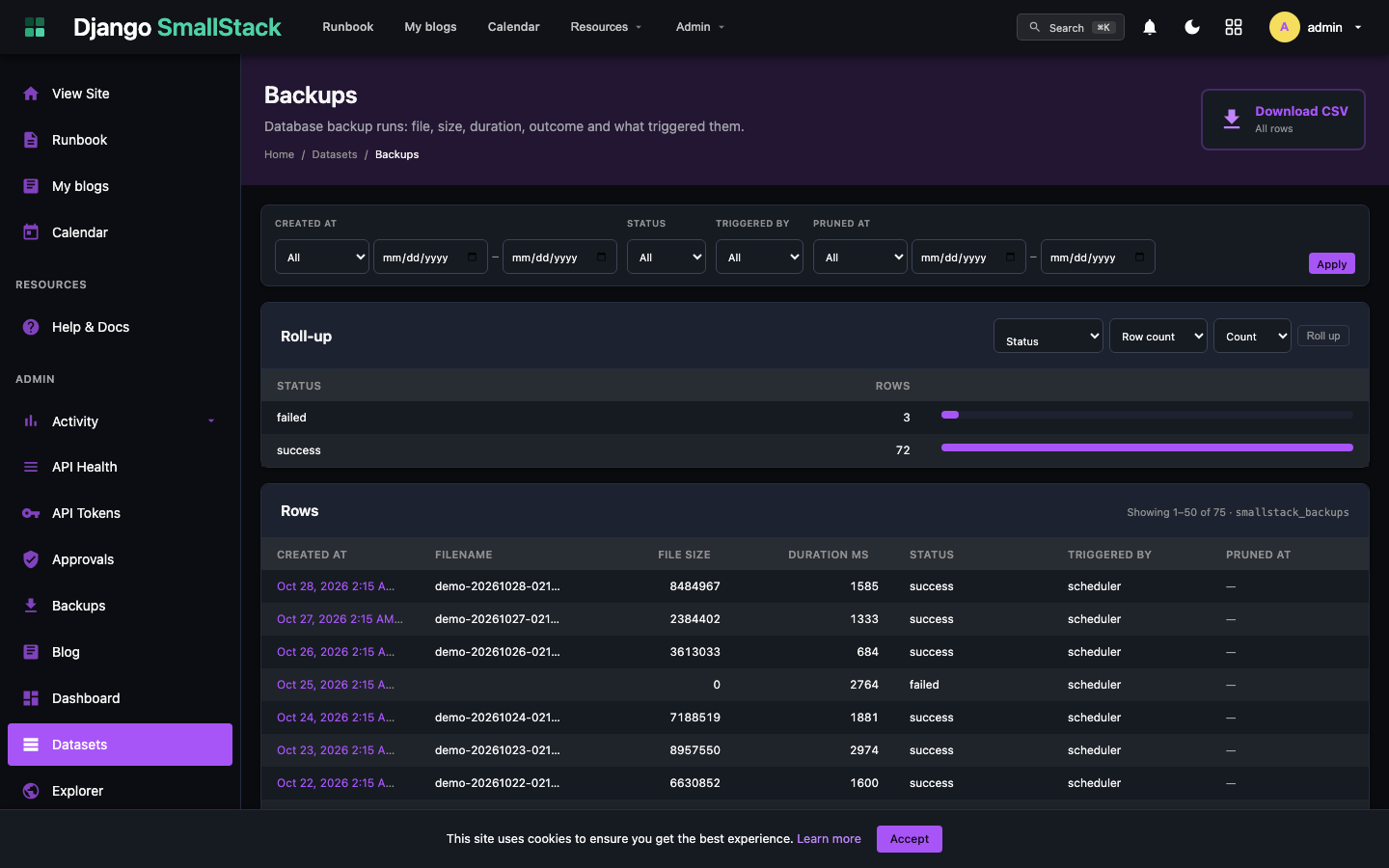
Every dataset appears in the staff browser: a filter bar built from the schema, a sortable table, a one-click roll-up and a CSV download.
Query it
REST routes for rows, grouped series and single KPI numbers; an MCP tool per dataset so Claude can ask the same questions.
A calendar is a dataset with a time axis.
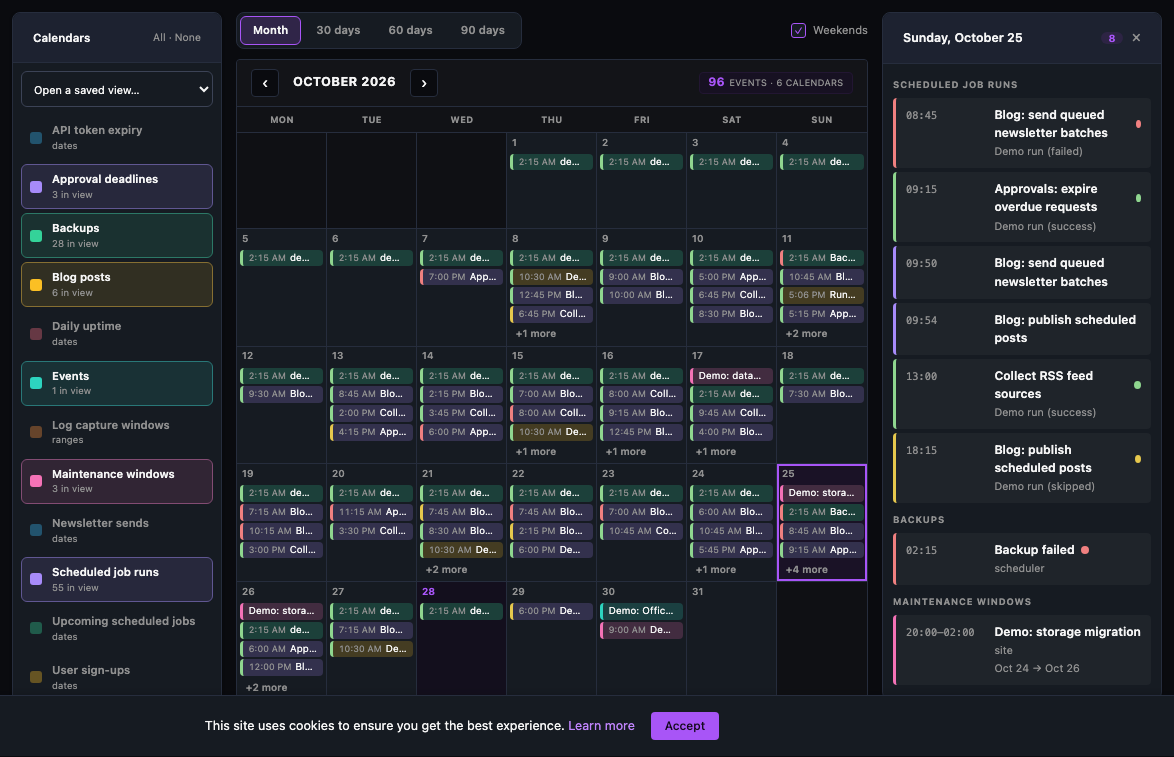
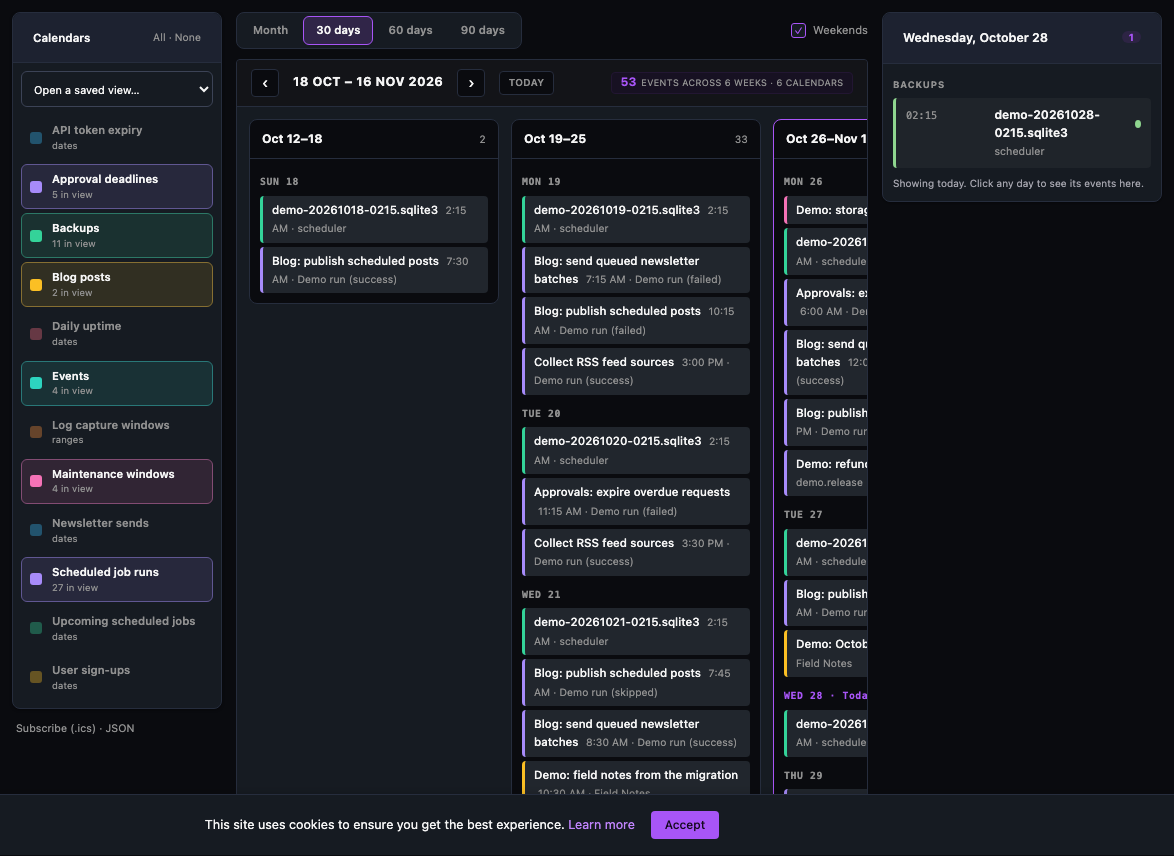
Tell the framework which column is the start (and optionally the end) and the dataset becomes a calendar: it joins the shared month grid, the 30/60/90-day board, the day column, saved views, the events API, an iCalendar feed your phone can subscribe to, and the MCP tools.
One declaration, every surface.
This is the whole thing for a ticket model. It gives you a browsable dataset, a calendar, REST, an .ics feed and MCP tools.
# apps/tickets/datasets.py
from apps.calendar import calendar_dataset

@calendar_dataset(
    "ticket_due_dates",
    start="due_at",              # the date column
    title="subject",
    status="sla_status",          # green / amber / red
    access="authenticated",      # every signed-in user, scoped below
    label="Ticket due dates",
    enable_api=True, enable_mcp=True,
)
def ticket_due_dates(request):
    return Ticket.objects.filter(assignee=request.user, status="open")
Dates computed rather than stored — holidays from rules, milestones, a rota — use @calendar_provider instead and yield events from a function.
You get, in the browser
/smallstack/datasets/browse/ticket_due_dates/- A calendar in the picker on
/smallstack/calendar/ - Month grid, 30/60/90 board, day column, saved views
- A Table ⇄ Calendar ⇄ Board toggle on any CRUDView list page
You get, for your apps
GET /smallstack/datasets/ticket_due_dates/rows,/series/,/scalar/,?format=csvGET /smallstack/calendar/api/events/?ds=…&start=&end=normalised eventsGET /smallstack/calendar/api/events.icsfor Apple, Google or Outlook- MCP:
query_dataset_ticket_due_dates,list_calendars,calendar_events
Ready to use, not to build.
Eleven calendars and twenty-eight datasets come with the framework. Yours is one decorator away — and a coding agent knows the pattern.